

ArtCAM PRO Video Archive from Delcam
-
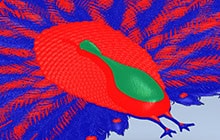 Relief Height Analysis Tool in ArtCAM Pro .To ensure that your coin design is suitable for manufacture, ArtCAM Pro come with a live Relief Analysis tool that enables you to check both the side angles and heights of your relief artwork.
 -
 Relief Modelling Features in ArtCAM Pro. A look at the interactive modelling features available in ArtCAM Pro and ArtCAM JewelSmith. These include Free Relief Modelling, Texture Flow and Interactive Distortion.
 -
 Building a 3D relief from an imported image.Watch how easily you can create a 3D relief model using an imported image within ArtCAM Pro.
 -
 ArtCAM 2012 – Creating Peacock Park 3D & Vbit Signage 3D and Vbit signage that utilises some of the great new tools for sign makers with Artcam pro
 -
 Coin Making With ArtCAM – The Peacock Coin Designed by Delcam in ArtCAM Pro, this promotional coin was created as part of the ‘Peacock’ range, specifically created for the launch of ArtCAM 2012.
 -
 Artistic Woodworking With ArtCAM 2012 – Creating The ‘Peacock Panel’ working with wood.

ArtCAM Insignia Video Archive from Delcam
-
 CAD Modeling a Pumpkin in ArtCAM Insignia In this special Halloween-themed ArtCAM Insignia demonstration we’ll be looking at some of the creative design tools in ArtCAM Insignia 2011 R2.
 -
 Create 3D Halloween Signage With ArtCAM Insignia 2013.In this Halloween themed demonstration we’ll be giving you an introduction to the great new design and manufacturing features of ArtCAM Insignia 2013.
 -
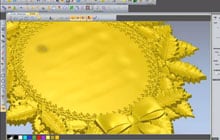 Getting Started With ArtCAM Insignia In this demonstration we’ll be looking at some of the creative new features of ArtCAM Insignia 2012.
 -
 3D Design With ArtCAM Insignia In this video we will be exploring the 3D capabilities of ArtCAM Insignia 2011 R2.

ArtCAM Express Video Archive from Delcam
-
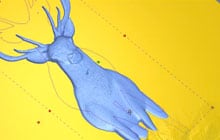 Getting Started In CNC With ArtCAM Express 2012In this video we’ll be be looking at some of the features of ArtCAM Express 2012, Delcam’s entry-level routing and engraving software.
 -
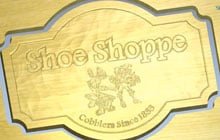 An Introduction to ArtCAM Express – Creating a SignIn this video we’ll be exploring how to use various features of ArtCAM express to create a basic sign
 -
 Signmaking with ArtCAM Express – Coco’s Coffee ShopImporting 2D artwork from the vector clip art library, and creating a sign with them.
 -
 Retro Sign – Using ArtCAM Express 2011 Creation of a simple sign using ArtCAM Express.
 -
 Vbit Carving A Photo In this online demonstration we’ll be showing you how to machine images from photographs imported into ArtCAM Express 2012.
Tutorials on Artcam Express 2011 from 
-
 Create a sundialThis tutorial will show how to create a sundial using many of the features within ArtCAM Express and the available modules
 -
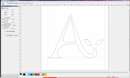 Creating & Editing FontsThis demonstration will show how to edit or create fonts using the “Font Creator” module for ArtCAM Express.
 -
 Machining a 3D ReliefThis tutorial shows how to import a 3D Relief from the “Relief Clipart Library” and then machining the part ready to send to a CNC machine
 -
 2D Engraved SignThis demonstration shows how to create a 2D Engraved Sign using the Smart Engraving module and will also show how to change the rendered material.
 -
 Creating a light boxThis tutorial will show how to create a die bond light box using ArtCAM Express and maching it by selecting layers using the “Vector Tools” module.
 -
 Creating a logo using multiple imagesThis demonstration shows how to create a logo using multiple images with the help of the module “Bitmap Layers” and creating vector artwork from the images.
 -
 Nesting multiple partsThis demonstration will show how to nest multiple parts to minimise wastage of material using the ArtCAM Express module, “Nesting”.
 -
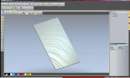 Texture ToolpathThis video demonstrates how to create a textured door panel using ArtCAM Express with the module, “Texure Toolpath”.
 -
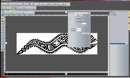 Creating Vector Artwork from an ImageIn this tutorial we demonstrate how to create vector artwork from an image imported into ArtCAM Express.
 -
 Feature Machining 1This tutorial shows how to leave “features” on 3D reliefs using the module “Feature Machining” and how to machine the whole part to send to a CNC”.
 -
 Feature Machining 2This tutorial shows how to leave “features” on 3D reliefs using the module “Feature Machining” and how to machine the whole part to send to a CNC.
 -
 Raised Round MachiningThis demonstration shows how to create a Chocolate Mould using the “Raised Round” module for ArtCAM Express to create form using 2D vectors.
 -
 Embossing DieThis demonstration shows how to create an embossing die using the “Smart Engraving” module for ArtCAM Express.
 -
 Creating an InlayThis tutorial shows how to create an Inlay for a sign within ArtCAM Express 2011.
Tutorials on Artcam Express 2009 from
 Overview of ArtCAM Express A Power Point Presentation.
-
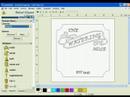 Sign Demonstration from scratch with 3D This video shows ArtCAM Express being used to take a sign from concept to finished part.
 -
 Demo#1 Loading in and working with 3D File. This video demonstrates Artcam Express’ ability to load in pre-created 3D files in order to be pasted in and then in turn toolpathed.
 -
 Demo #2 Creating a 3D Texture from an Image. This video shows off ArtCAM Express’ ability to quickly and easily load in an image/raster file and then have the software convert the image into 3D.
 -
 Machining a 3D Relief Using ArtCAM Express 2009.
 SignLab Design Tutorial
 CorelDraw X6 Tutorials
 Delcam Artcam Tutorials